How to Use Convert PST Contacts Solution for Converting Contacts to VCF?
VCF File Extension: VCF file extension is basically the personal profile of vCard, which is actually the format of an electronic business card used for both personal and official purposes. This belongs to that data file, which is similar to RSD file.
Functions of vCard VCF Files: vCard VCF files are extremely useful and beneficial in fulfilling many different purposes; some of which are as follows:
- VCF files can be used for importing contacts from various Address Books.
- VCF files can be used for exporting contacts from various Address Books.
- VCF files can be attached to email messages; wherein, the recipients can use these email messages to import senders contact information easily.
Process to Open a VCF File: Below mentioned is the appropriate method to open a vCard VCF file:
- Double click on the VCF file you wish to open
- After that, default application will be decided automatically by the system to open that file
- If in case, no program opens that VCF file, then it is certain that you don't have an application installed on your system to open or edit the VCF files
- There are useful resources present that support to open VCF files
- Click on any one of them
Need to Convert PST to VCF? For all you Outlook users, who have recognized the need of using vCards VCF files, the need to convert PST file contacts to VCF must have generated. Converting MS Outlook contacts to vCard is a not a difficult job, provided you find an appropriate, viable and feasible of conversion.
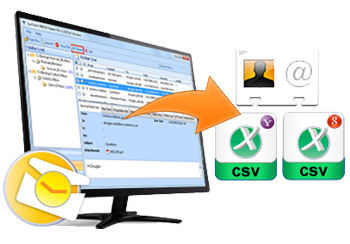
SysTools vCard Export - An Apt Convert PST Contacts Solution: An apt convert PST contacts solution is SysTools vCard Export software, which is a great fusion of easy usage with superior conversion technology. The software is so simple in usage, that even if you are a non-technical computer user, you would not feel much difficulty in using this tool. Using this tool, you can also convert vCard to WAB.
How to Use Convert PST Contacts Solution? Below mentioned is the proper channel you are recommended to go through for converting PST contacts to vCard using SysTools vCard Export tool:
- Firstly, you must check SysTools vCard Export tool by downloading its FREE Demo Version. This will give you an idea about the working of the tool and its features
- After satisfaction, you need to purchase SysTools vCard Export software in its Full Licensed version.
- After acquiring the license and activation key for it, run the software on your system to carry out the conversion process.
- For successfully converting the contacts, keep following the screen instructions, coming consecutively on the software interface on your system, till the process completes.
Download trail version of SysTools vCard Export!
Download SysTools vCard Export
File Size: 3.26 MB |
Software Version: 4.0 |
OS Rqd: Win 2000/XP/2003/Vista/Windows 7
Click on the above and download trail version to get 15 contacts of outlook to vCard, WAB & Excel.
Purchase SysTools vCard Export for accessing complete features of Software. Software converts PST to VCF by converting MS Outlook Contacts for unlimited Outlook Contacts conversion.


I used vCard Export for contacts conversion. It is really a master piece. I never expect that a tool can give accurate conversion result in just a few clicks – Juliate
Contact our Technical team to sort out any query regarding vCard Export. We are here to give you a great support service for 24X7.