How to Transfer MS Outlook Contacts to vCards Easily?
vCard (VCF) is a standard file format, acceptable by most of the email managing applications and programs. Most email applications like Lotus Notes, MS Outlook etc accept this format. Also, various digital devices like iPhone, PDA, mobile phones, Palm etc and also many Operating Systems accept vCards. The VCF file extension is used as a vCard Personal Profile, which is actually an electronic business card format, which can be used for personal as well as business reasons.
How to Move MS Outlook Contacts to vCard: If you are using MS Outlook email application, then you must be storing all your contacts in PST files of Outlook. However, if you are willing to convert PST address book to vCard, you can convert PST to VCF and can also access all your Outlook contacts in VCF, as vCard is accepted by Outlook email application.
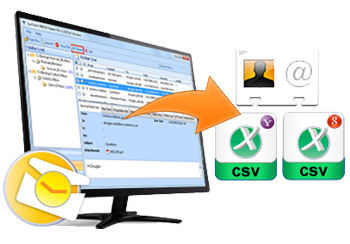
Tool to Convert PST Contacts to vCard: You can perform PST contacts conversion to vCard with some efficient and reliable software package. One outside PST contacts conversion software is SysTools vCard Export software. With this Outlook contacts conversion tool you can export Outlook contacts to Excel. With this competent tool even non-technical person can convert PST contacts file to vCard. This tool employs high and advanced technology to convert unlimited PST contacts. This software is an apt answer to the question - How to transfer MS Outlook contacts to vCard?
Step Wise Process to Convert Outlook Contacts file: Given below are the steps to convert PST contacts to vCard:
- Buy SysTools vCard Export software in Full Licensed version. It is suggested to check the demo version, which is absolutely FREE of cost.
- Run the software onto your system, to carry out the conversion process.
- Follow the screen instructions coming consecutively on the software interface on your system for successful completion of PST contacts conversion to vCard.
Download and Try SysTools vCard Export tool!
Download SysTools vCard Export
File Size: 3.26 MB
Software Version: 4.0
OS Requirements: Win 2000/XP/2003/Vista/Windows 7
SysTools vCard Export is available in different versions. You can try demo version to convert 15 contacts at a time before buying licensed version. After getting the satisfactory response, you can purchase licensed version for complete PST Contacts Conversion.