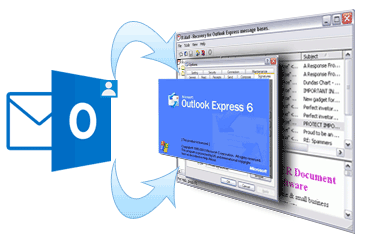
Export Outlook Contacts to WAB with vCard Export Tool
vCard Export software is an expertise in the form of online solution which helps Outlook users to migrate their contacts to WAB files of Outlook Express. This software has capability to bring smile on large number of users, when they needed to migrate all their important contacts in WAB files of OE. The powerful online tool is handy in usage and will easily carry out contacts migration at a very rapid rate. This address conversion product supplies powerful algorithms during contacts migration from one platform to another.
Convert Outlook Contacts to WAB Files:
- Suppose you are changing your email platform from Outlook and moving ahead to install Outlook Express then, you must be in need of all your contacts for continuation of business. Using vCard Export tool, conversion of contacts can be done effectively.
- Sometimes, when Outlook becomes slower than before and not functioning properly then lots of people decide to move onto some other emailing platform like Outlook Express. By converting all the contacts from Outlook to Outlook Express, you would be able to easily access all the contacts in OE too. This way you have your contacts with you even after changing your email partner.
Specific Features:
- This application allows you to export Outlook contacts to WAB file format of OE, export Outlook contacts to vCard and export Outlook contacts to CSV.
- By employing simple most conversion steps, it is very easy to Export Outlook contacts to WAB files.
- This professional utility supports running on all MS® Windows OS platforms such as XP, 98, Win 7, ME, 2003, Vista, etc.
- Software also support working with all Outlook ANSI and Unicode formatted files.
- The tool allows users to export all Outlook contacts to WAB format effortlessly
- Maintains folder hierarchy after the converting from Outlook to Outlook Express
- Tool provides an option to even scan the OST file and folder and convert it
How to Add Outlook Contacts in Outlook Express?
MS Outlook create a PST file to stores all the data of an account like inbox, sent item, calendar, contacts, notes etc. As the emails come into the account, the PST file size is being started to increase. As it crosses the 2 GB file size limitation, the chance of file corruption becomes increased or you can say that it may be corrupt at any point of time. On the other hand, Outlook Express saves contacts in WAB files (Windows Address Book).
Impossible to Add Outlook Contacts in Outlook Express Directly:
MS Outlook and Outlook Express have no option to directly add Outlook Contacts in Outlook Express. It is also difficult to separate Outlook contacts from PST file which saved other information than contacts.
vCard Export can add Outlook Contacts to Outlook Express:
For adding Outlook contacts in Outlook Express, one simple solution is to using third party tool like vCard Export. The software is a contacts conversion tool that provides MS Outlook to Outlook Express direct conversion. Choose the option from Outlook to Outlook Express (WAB file) and add the entire Outlook Contacts in Outlook Express.